
Profit and Loss Calculator: Calculate Profit, Loss, Profit % and Loss % Online
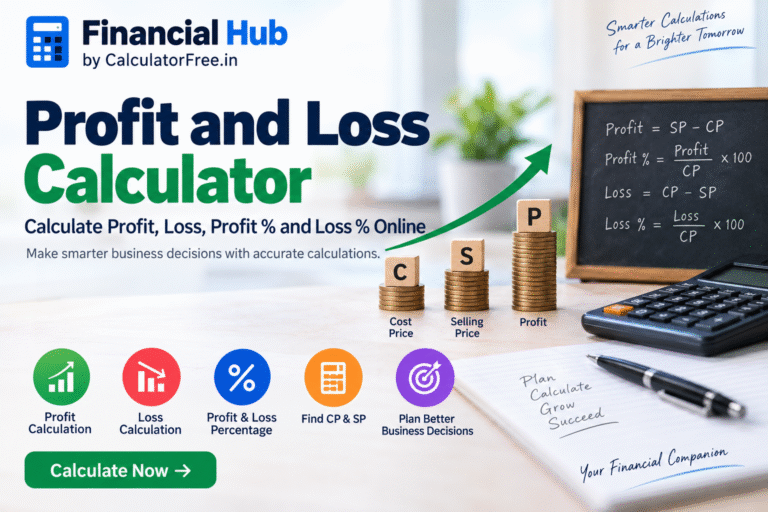
Running a business, selling products, or simply solving a profit and loss problem often requires quick and accurate calculations. Whether you are a shopkeeper, small business owner, retailer, student, entrepreneur, or online seller, knowing your actual profit or loss is important for making better financial decisions.
A Profit and Loss Calculator makes these calculations much easier. Instead of manually calculating revenue, costs, profit, loss, and percentages, you can enter your numbers and get the results instantly.
Our Advanced Profit and Loss Calculator is designed to provide a more complete view of business profitability. Along with selling price, units sold, and cost price, it can also account for expenses such as marketing, shipping, and other overheads. The calculator provides total revenue, total costs, net profit or loss, profit margin, and break-even information.
What Is a Profit and Loss Calculator?
A Profit and Loss Calculator is an online financial tool used to determine whether a transaction or business activity generates a profit or a loss.
The basic calculation depends on two important values:
Cost Price (CP) – the amount paid to purchase or produce an item.
Selling Price (SP) – the amount received when the item is sold.
If the selling price is greater than the cost price, you make a profit.
If the selling price is lower than the cost price, you make a loss.
For more detailed business analysis, additional expenses such as marketing, shipping, and overhead costs should also be considered.
Try the Profit and Loss Calculator
If you want to calculate your business profitability quickly, use our Profit and Loss Calculator.
It allows you to enter:
Selling Price per Unit
Number of Units Sold
Cost Price per Unit
Marketing & Advertising Expenses
Shipping & Handling Costs
Other Overhead Expenses
The calculator then provides a financial summary including total revenue, total costs, net profit or loss, profit margin, and break-even point.
Use the Profit and Loss Calculator →
What Is Profit?
Profit occurs when the selling price is higher than the cost price.
Profit Formula
Profit = Selling Price − Cost Price
For example, suppose you purchase a product for ₹800 and sell it for ₹1,000.
Profit = ₹1,000 − ₹800
Profit = ₹200
Therefore, you make a profit of ₹200.
What Is Loss?
Loss occurs when the selling price is lower than the cost price.
Loss Formula
Loss = Cost Price − Selling Price
For example, if you purchase an item for ₹1,000 and sell it for ₹800:
Loss = ₹1,000 − ₹800
Loss = ₹200
Therefore, your loss is ₹200.
How to Calculate Profit Percentage?
Profit percentage is generally calculated using the cost price as the base.
Profit Percentage Formula
Profit % = (Profit ÷ Cost Price) × 100
Suppose:
Cost Price = ₹800
Selling Price = ₹1,000
Profit = ₹200
Then:
Profit % = (₹200 ÷ ₹800) × 100
Profit % = 25%
So, the transaction generated a 25% profit on the cost price.
How to Calculate Loss Percentage?
Loss percentage is also generally calculated using the cost price as the base.
Loss Percentage Formula
Loss % = (Loss ÷ Cost Price) × 100
For example:
Cost Price = ₹1,000
Selling Price = ₹800
Loss = ₹200
Therefore:
Loss % = (₹200 ÷ ₹1,000) × 100
Loss % = 20%
So, the transaction resulted in a 20% loss.
Cost Price vs Selling Price
Understanding CP and SP is essential when calculating profit and loss.
Cost Price (CP)
Cost Price is the amount you spend to purchase or produce a product.
Depending on the business, the actual cost may include more than the purchase price. Transportation, production, packaging, and other direct expenses may also affect the total cost.
Selling Price (SP)
Selling Price is the amount at which you sell a product or service to a customer.
For example:
CP = ₹500
SP = ₹650
Profit = ₹650 − ₹500
Profit = ₹150
Profit percentage:
₹150 ÷ ₹500 × 100 = 30%
Business Profit Is More Than Just Selling Price Minus Cost Price
For a simple product transaction, profit can be calculated using:
Profit = SP − CP
However, a real business may have additional expenses.
For example, imagine that you sell 100 products at ₹500 each.
Your revenue is:
₹500 × 100 = ₹50,000
Suppose your product cost is ₹300 per unit:
₹300 × 100 = ₹30,000
You also spend:
Marketing = ₹3,000
Shipping = ₹2,000
Other overheads = ₹1,000
Total costs:
₹30,000 + ₹3,000 + ₹2,000 + ₹1,000
Total Costs = ₹36,000
Therefore:
Net Profit = ₹50,000 − ₹36,000
Net Profit = ₹14,000
This is why looking only at the purchase price and selling price may not always give you a complete picture of business profitability.
Our advanced calculator lets you include these additional business expenses for a more practical analysis.
How the Advanced Profit and Loss Calculator Works
Using the calculator is simple.
Step 1: Enter Selling Price
Enter the amount at which you sell one unit of your product.
For example:
₹500
Step 2: Enter Units Sold
Enter how many units you sold.
For example:
100 units
Step 3: Enter Cost Price
Enter the direct cost of producing or purchasing one unit.
For example:
₹300
Step 4: Add Marketing Expenses
Enter your total advertising and marketing expenses.
For example:
₹3,000
Step 5: Add Shipping Costs
Enter your total shipping and handling expenses.
For example:
₹2,000
Step 6: Add Other Overheads
You can also include other business expenses such as applicable operating costs.
For example:
₹1,000
The calculator then analyzes your figures and provides a financial summary.
What Does Total Revenue Mean?
Total revenue is the total amount generated from selling your products or services.
Revenue Formula
Total Revenue = Selling Price × Units Sold
For example:
Selling Price = ₹500
Units Sold = 100
Total Revenue:
₹500 × 100 = ₹50,000
Therefore, your total sales revenue is ₹50,000.
What Does Total Cost Mean?
Total cost represents the combined expenses associated with your sales.
Depending on the calculation, this can include:
Product or production cost
Marketing and advertising
Shipping and handling
Other overhead expenses
Understanding total cost is important because a business can have high sales revenue but still generate a relatively small profit if its expenses are high.
What Is Net Profit?
Net profit is the amount remaining after all relevant costs have been deducted from total revenue.
Net Profit Formula
Net Profit = Total Revenue − Total Costs
For example:
Total Revenue = ₹50,000
Total Costs = ₹36,000
Net Profit:
₹50,000 − ₹36,000 = ₹14,000
Therefore, the net profit is ₹14,000.
If total costs are greater than revenue, the result becomes a loss.
What Is Profit Margin?
Profit margin shows how much of your revenue remains as profit.
Profit Margin Formula
Profit Margin = (Net Profit ÷ Total Revenue) × 100
For example:
Net Profit = ₹14,000
Total Revenue = ₹50,000
Profit Margin:
(₹14,000 ÷ ₹50,000) × 100 = 28%
Therefore, the business has a 28% profit margin.
For a more detailed analysis of gross profit, gross margin, markup, and net profit margin, you can also use our Profit Margin Calculator.
Profit Percentage vs Profit Margin
These two terms are often confused.
Suppose:
Cost Price = ₹800
Selling Price = ₹1,000
Profit = ₹200
Profit percentage based on cost price:
₹200 ÷ ₹800 × 100 = 25%
Profit margin based on selling price:
₹200 ÷ ₹1,000 × 100 = 20%
Therefore:
Profit Percentage = 25%
Profit Margin = 20%
They measure profitability using different bases, so they should not be treated as exactly the same calculation.
What Is the Break-Even Point?
The Break-Even Point is the point at which total revenue is equal to total costs.
At break-even:
Profit = ₹0
Loss = ₹0
For example, if your business needs to sell 200 units to recover all fixed and variable expenses, 200 units is your break-even volume.
Selling fewer units may result in a loss, while selling more units may generate a profit, assuming the relevant assumptions remain unchanged.
You can use our Break-Even Point Calculator to calculate the sales volume and revenue required to cover fixed and variable business costs.
Why Is Break-Even Analysis Important?
Break-even analysis can help business owners understand:
How many units need to be sold
How much revenue is required
How fixed costs affect profitability
How variable costs affect profit
How pricing changes can affect business results
It can be particularly useful when launching a new product or planning a new business.
Profit and Loss Example for a Small Business
Let’s consider a simple example.
A retailer sells a product for ₹750 per unit.
The retailer sells 200 units.
The cost of each product is ₹450.
Additional expenses are:
Marketing = ₹8,000
Shipping = ₹5,000
Other overheads = ₹4,000
Step 1: Calculate Revenue
₹750 × 200
Revenue = ₹1,50,000
Step 2: Calculate Product Cost
₹450 × 200
Product Cost = ₹90,000
Step 3: Calculate Total Costs
₹90,000 + ₹8,000 + ₹5,000 + ₹4,000
Total Costs = ₹1,07,000
Step 4: Calculate Net Profit
₹1,50,000 − ₹1,07,000
Net Profit = ₹43,000
Step 5: Calculate Profit Margin
₹43,000 ÷ ₹1,50,000 × 100
Profit Margin ≈ 28.67%
This example shows why considering additional business expenses can provide a more realistic picture of profitability.
Profit and Loss Calculator for Small Businesses
Small businesses often need to calculate profitability before changing product prices.
A Profit and Loss Calculator can help with decisions such as:
What selling price should I set?
How much profit am I making per product?
Are my marketing costs too high?
How much does shipping affect my profit?
How many units do I need to sell?
What happens if I increase or decrease my selling price?
What happens if my product cost changes?
By testing different numbers, you can compare possible business scenarios before making pricing or cost decisions.
Profit and Loss Calculator for Online Sellers
Online sellers may have several expenses beyond the product purchase price.
These may include:
Product cost
Packaging
Shipping
Advertising
Platform fees
Returns
Discounts
Other operating expenses
Therefore, calculating only:
Selling Price − Purchase Price
may not always represent the final business profit.
For a more useful analysis, include the relevant costs when calculating profitability.
Profit and Loss Calculator for Students
Profit and loss is also an important mathematics topic.
Students may encounter questions involving:
Cost Price
Selling Price
Profit
Loss
Profit Percentage
Loss Percentage
Marked Price
Discount
Finding Cost Price
Finding Selling Price
An online calculator can be useful for checking your answer after solving a problem manually.
However, understanding the underlying formulas remains important for examinations and competitive tests.
Quick Profit and Loss Formula Table
| Calculation | Formula |
|---|---|
| Profit | SP − CP |
| Loss | CP − SP |
| Profit % | (Profit ÷ CP) × 100 |
| Loss % | (Loss ÷ CP) × 100 |
| Total Revenue | SP × Units Sold |
| Net Profit | Total Revenue − Total Costs |
| Profit Margin | (Net Profit ÷ Total Revenue) × 100 |
How to Calculate Selling Price for a Desired Profit?
Suppose your cost price is ₹1,000 and you want a 20% profit.
Formula
Selling Price = Cost Price × (1 + Profit % ÷ 100)
Therefore:
₹1,000 × (1 + 20 ÷ 100)
= ₹1,000 × 1.20
Selling Price = ₹1,200
So, you would need to sell the product for ₹1,200 to achieve a 20% profit based on the cost price.
How to Calculate Selling Price at a Loss?
Suppose the cost price is ₹1,000 and you want to sell the product at a 10% loss.
Formula
Selling Price = Cost Price × (1 − Loss % ÷ 100)
Therefore:
₹1,000 × 0.90
Selling Price = ₹900
So, the selling price would be ₹900.
What Happens When Cost Price and Selling Price Are Equal?
When:
CP = SP
there is no profit and no loss.
For example:
CP = ₹1,000
SP = ₹1,000
Therefore:
Profit/Loss = ₹0
This is known as the break-even point for that individual transaction.
Why Use an Online Profit and Loss Calculator?
An online calculator can save time and reduce the possibility of arithmetic errors.
It can be especially useful when:
You are calculating multiple transactions.
Your business has additional expenses.
You want to compare different selling prices.
You want to understand your profit margin.
You need to estimate your break-even point.
You want to test different business scenarios.
Our calculator also provides real-time analysis as you enter your figures, including financial summary and profit-growth scenarios.
Related Financial Calculators
Profit and loss is only one part of financial and business planning. You may also find these tools useful:
GST Calculator
If GST needs to be added to or removed from a product price, use our GST Calculator. It supports both adding GST and removing GST and provides a breakdown of the base amount, GST, and final amount.
Profit Margin Calculator
Use the Profit Margin Calculator when you want to analyze gross profit, gross margin, markup percentage, and related profitability measures.
Break-Even Point Calculator
Use the Break-Even Point Calculator to estimate the number of units and revenue required to cover fixed and variable business costs.
Frequently Asked Questions
What is a Profit and Loss Calculator?
A Profit and Loss Calculator is an online tool that helps calculate revenue, costs, profit, loss, and profitability percentages based on the numbers entered by the user.
What is the formula for profit?
The basic profit formula is:
Profit = Selling Price − Cost Price
What is the formula for loss?
The basic loss formula is:
Loss = Cost Price − Selling Price
How is profit percentage calculated?
Profit percentage is generally calculated as:
Profit % = (Profit ÷ Cost Price) × 100
How is loss percentage calculated?
Loss percentage is generally calculated as:
Loss % = (Loss ÷ Cost Price) × 100
What is the difference between profit percentage and profit margin?
Profit percentage is generally based on cost price, while profit margin is based on revenue or selling price.
Can a Profit and Loss Calculator include business expenses?
Yes. Our Advanced Profit & Loss Calculator allows you to include costs such as marketing, shipping, and other overhead expenses in addition to product cost.
What is net profit?
Net profit is the amount left after subtracting the relevant total costs from total revenue.
Net Profit = Total Revenue − Total Costs
What is a break-even point?
The break-even point is the level of sales where total revenue covers total costs, resulting in neither profit nor loss.
Can students use a Profit and Loss Calculator?
Yes. Students can use it to check calculations involving cost price, selling price, profit, loss, and percentages. It should be used as a checking tool while learning the underlying formulas.
Is the Profit and Loss Calculator free?
The Financial Hub provides free interactive financial calculators and does not require an account or signup for using the calculator.
Calculate Your Profit and Loss Online
Knowing your revenue and expenses is essential for understanding whether a product, service, or business activity is actually profitable.
Whether you are a student, shopkeeper, retailer, entrepreneur, online seller, or small business owner, a reliable Profit and Loss Calculator can make financial calculations faster and easier.
Enter your selling price, units sold, cost price, marketing expenses, shipping costs, and other overheads to get a clearer picture of your business performance.
Start calculating your profit and loss today with Financial Hub.
Suggested links from Financial Hub:
Profit and Loss Calculator Profit and Loss Calculator GST Calculator GST Calculator Break-Even Point Calculator Break-Even Point Calculator Profit Margin Calculator Profit Margin Calculator Loan EMI Calculator Loan EMI Calculator SIP Calculator SIP Calculator Compound Interest Calculator Compound Interest Calculator FD Calculator FD Calculator